Work intake
Repeated internal requests become structured work records with the right context, urgency, attachments and route from the beginning.
Systems / Service 03
Many companies do not need a huge enterprise platform. They need a focused tool that supports the way work actually happens.
Overview
Blackstone Digital starts with the real workflow: roles, statuses, documents, approvals, handovers and exceptions. The internal tool then reflects how the team already thinks about the work while making ownership and progress easier to see.
Internal software system preview
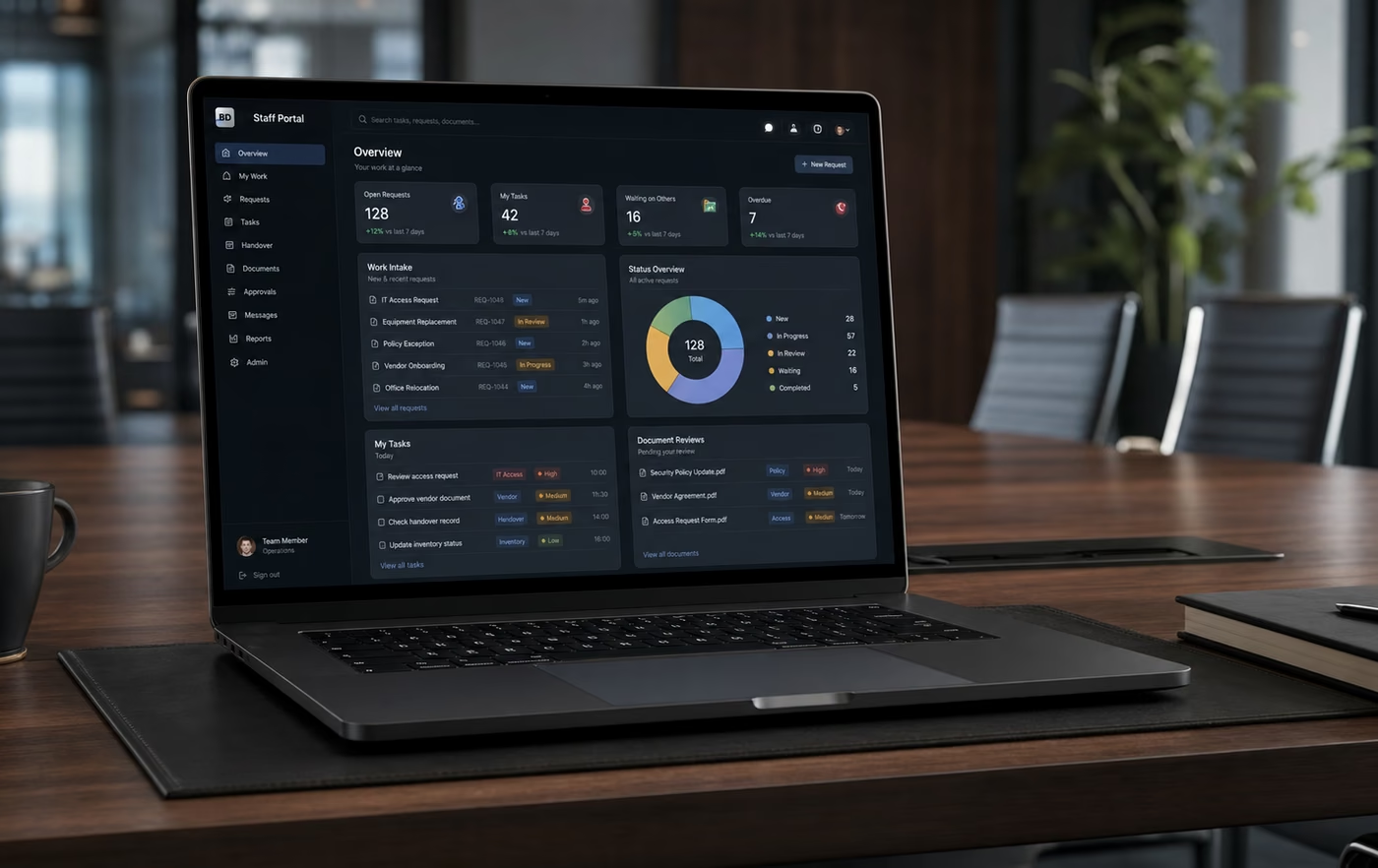
Internal software and staff portals
Internal software should not become another generic tool. It should turn daily work, documents, approvals, roles and exceptions into one controlled operating layer that matches how the team actually runs.
Repeated internal requests become structured work records with the right context, urgency, attachments and route from the beginning.
Open, waiting, in review, approved, blocked and complete states make daily work visible without another spreadsheet reconstruction.
Managers, staff, reviewers and operations leads see the fields, queues and decisions that match their responsibility.
Photos, PDFs, checklists, review notes and handover records can stay connected to the work instead of scattered across folders.
Approval points, review moments and exception paths are built into the workflow so teams know what needs a decision.
Leadership can see workload, delayed items, owner gaps, blocked handovers and completion quality without rebuilding the story manually.
Fragile trackers become a cleaner operating surface with controlled records, clearer ownership and fewer manual status rituals.
The first system creates the role, status and data boundaries needed before automation or AI-assisted operations can scale safely.
Operating system promise
The goal is not to add another dashboard. It is to reduce reconstruction, clarify responsibility, protect operating records and give managers one reliable view of what is open, waiting, blocked or complete.
Internal software decision case
Internal software and staff portals are strongest when repeated work has real stakes: requests, documents, handovers, approvals, exceptions, inventory, repairs, orders or manager review. Blackstone Digital turns that work into a focused operating surface so teams know what is open, who owns it and what must happen next.
The value is operational control, not software for its own sake. A strong first staff system reduces status reconstruction, protects working records, clarifies responsibility and gives leadership a cleaner way to review daily operations.
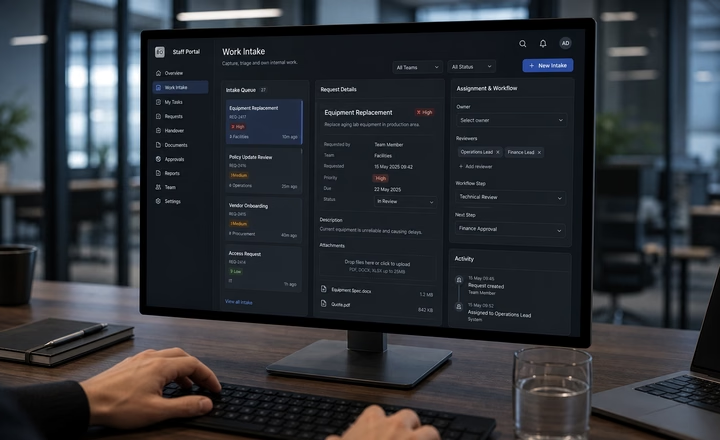
Work intake surface
Blackstone Digital structures the first staff surface around the information the team actually needs: work type, context, urgency, files, owner, reviewer and next action.
Commission this when chat, email, shared forms or spreadsheets still create missing details, duplicate explanations and slow first review.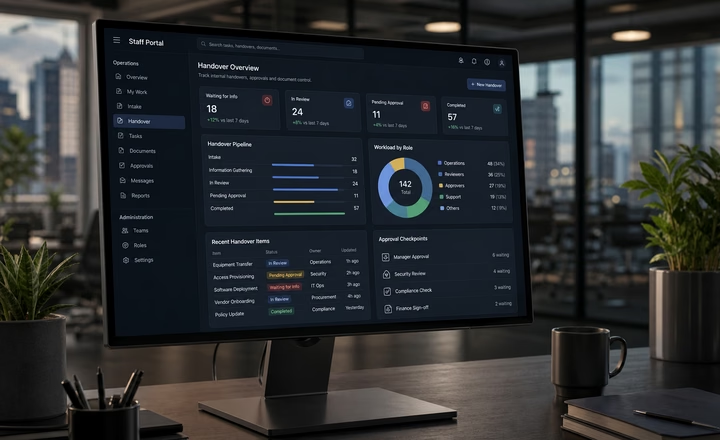
Handover and status surface
Staff can see what was received, what is waiting, which document needs review, which approval is missing and what has already been confirmed.
Commission this when teams lose time reconstructing attachments, handover history, review states and who owns the next decision.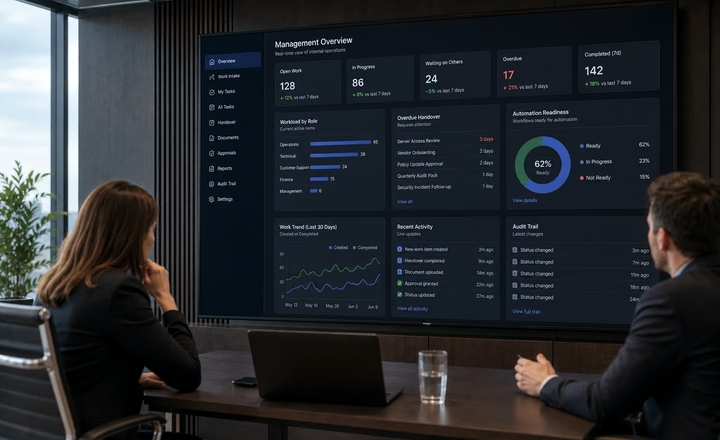
Management visibility surface
The staff system should feed the operating layer: owners, statuses, delayed items, missing documents, review responsibility and signals leadership can actually use.
Commission this when the work appears busy, but management still lacks a clean view of blockers, ownership, throughput and escalation paths.External operations signals
The public research points to the same operating problem: teams lose capacity to communication load, information search, interruptions, ad hoc coordination and unclear team systems before automation can help.
Source context: Microsoft Work Trend Index 2023 and 2025, Asana Anatomy of Work and Atlassian State of Teams. These are planning signals for operational design, not guaranteed client outcomes.
Decision matrix
| Decision factor | Spreadsheet or inbox | Generic task tool | Blackstone internal operating system |
|---|---|---|---|
| Operating job | Captures loose updates, but the team still has to reconstruct status, ownership and next steps. | Tracks tasks, but may not match the real workflow, handover rules or review moments. | Turns intake, status, documents, approvals and handovers into one operating system built around the daily workflow. |
| Staff ownership | Ownership depends on manual discipline, chat memory or who last edited the tracker. | Assignees exist, but responsibility, reviewer rules and escalation paths often stay outside the tool. | Each work item can carry source context, owner, reviewer, status, next step and management signals. |
| Document control | Attachments move across email threads, shared folders and local downloads with weak visibility. | Files may be attached, but missing-item logic, review states and handover confirmation are often unclear. | Uploads, missing documents, approved files, review notes and retention expectations can be designed into the workflow. |
| Operating confidence | Teams keep asking what changed, what is waiting and whether the current tracker is still true. | The task list exists, but managers may still need meetings to understand real progress. | Teams can see what is open, waiting, blocked, approved or complete without guessing. |
| Access and controls | Sensitive operating context may sit in tools not designed for role boundaries or review trails. | Permissions exist, but role-specific views, approval points and audit needs may be underdefined. | Role access, approval boundaries, logging and sensitive workflow controls are planned before scale. |
| Measurement | The business sees scattered activity, but not the real work load, delays or repeated friction patterns. | The tool may count task activity without exposing the operational bottleneck. | Leadership can review waiting work, delayed handoffs, missing files, owner gaps and completion quality. |
| Blackstone recommendation | Use this only when the process is low-risk, low-volume and easy to verify manually. | Use this when the task model is enough and the workflow is already controlled elsewhere. | Commission the internal operating system when repeated work needs status clarity, role control, handover quality and management visibility. |
Operating maturity scale
One repeated internal workflow is structured first so the system solves a visible operating problem.
Each work item has a clear owner, reviewer, status, exception path and next step.
Documents, photos, approvals, notes and handovers stay connected to the work record.
The operating layer can expand into dashboards, CRM, automation or AI-assisted review only where controls are clear.
Digital Systems Review
A review phase can sort the existing website, documents, forms, spreadsheets, customer questions and workflows, then turn them into the first useful build.