Account records
Companies, contacts, locations, buying roles and relationship context become governed customer records instead of scattered files.
Systems / Service 12
Enterprise CRM should make customer work accountable before AI starts suggesting the next move. Blackstone Digital builds the trusted records, roles, permissions and review boundaries first.
Overview
Blackstone Digital separates the CRM foundation from optional AI support. First, the business needs trusted records, roles, lifecycle stages, ownership, service history and reporting. AI can then support staff with summaries, classification, prioritization or next-step drafts only where data access, permissions and human review rules are defined.
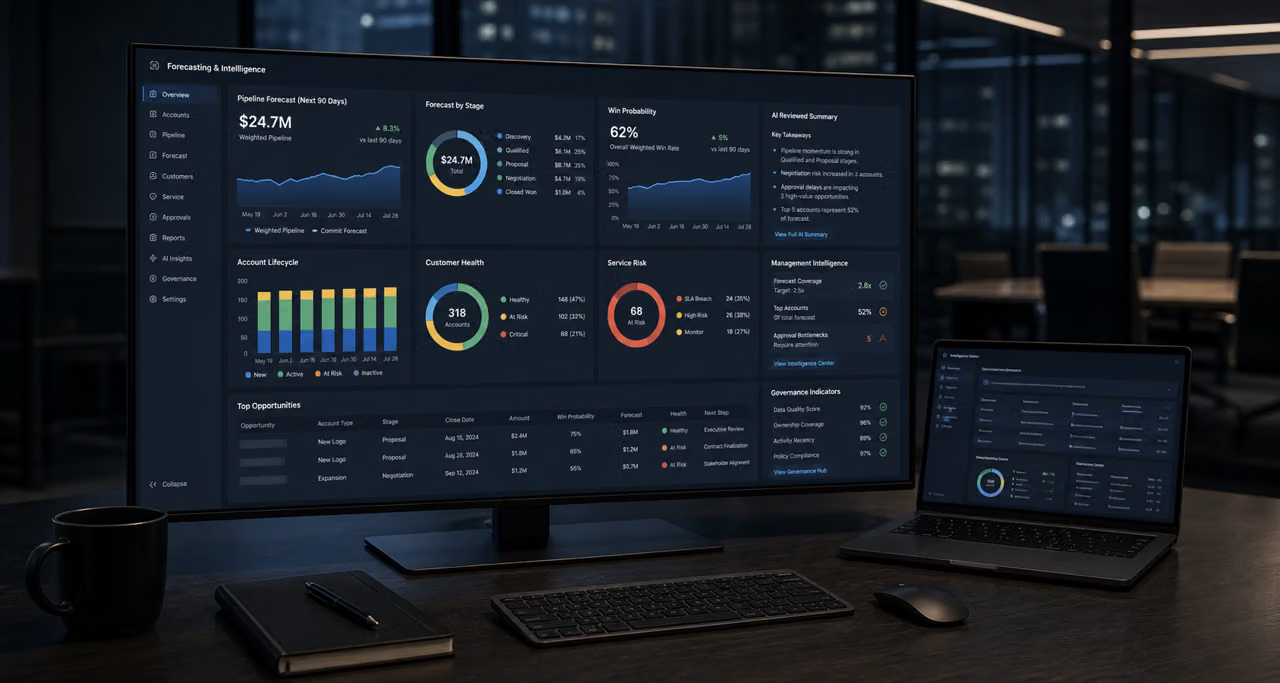
Enterprise CRM system preview
Enterprise CRM Systems & AI
Enterprise CRM work becomes valuable when customer records, pipeline stages, service history, documents, owners, permissions and reporting all describe the same operating truth. Blackstone Digital builds that foundation first, then adds reviewed AI support only where the workflow can explain, approve and audit it.
Companies, contacts, locations, buying roles and relationship context become governed customer records instead of scattered files.
Sales notes, service history, documents, decisions and handovers stay attached to the relationship across teams.
Stages, owners, next actions, quote status and risk signals are visible before opportunities stall or disappear.
Open requests, previous issues, documents, support notes and commitments remain reviewable after handovers.
Quotes, PDFs, requirements, approvals and contractual context can be linked to the customer record, not isolated folders.
Managers, sales owners, service staff and operations teams see the right views without exposing every field to every user.
Leadership can see follow-up risk, pipeline quality, service load and exceptions without reconstructing work from messages.
AI support becomes safer when records, statuses, owners, permissions and review moments are already structured.
Forms, portals, dashboards, automations and backend systems can connect around a clear customer operating model.
Enterprise CRM boundary
The goal is not to buy another database and hope AI fixes the gaps. The goal is to make customer work accountable first: trusted records, governed lifecycle states, role-aware access, reviewable changes and enough management visibility to scale automation responsibly.
Enterprise CRM strategy case
Enterprise CRM projects fail when the interface is treated as the solution while the record model, ownership rules, permissions and lifecycle logic stay unclear. Blackstone Digital starts with the operating model: what the business must remember about each customer, who owns each stage and which signals management needs before AI or automation expands.
The value is governed customer memory. Sales, service and management can work from the same customer truth, while AI assistance stays behind human review, permission boundaries and clear evidence.
Customer data foundation
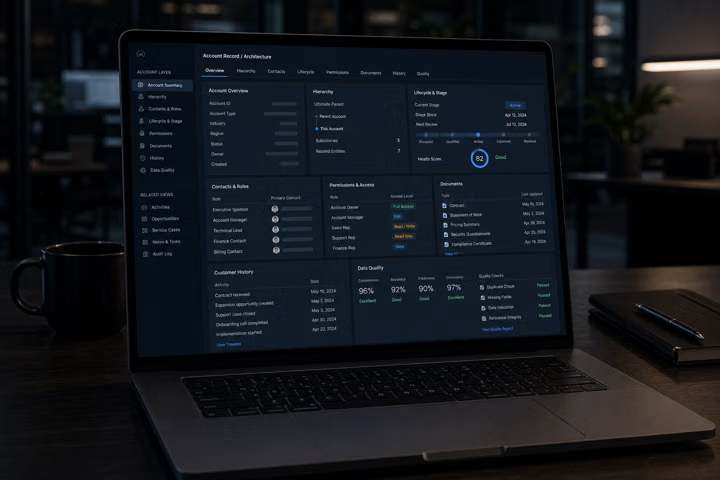
Blackstone Digital defines the enterprise customer record around how your business actually sells, serves and manages accounts. Companies, contacts, roles, lifecycle stages, documents, owners, permissions, status fields and service context sit together, so a sales handover, support escalation or management review starts from the same evidence instead of a rebuilt story.
Commission this when customer information exists across systems, but no single customer record is trusted enough to support reliable ownership, reporting, permissions or later AI assistance.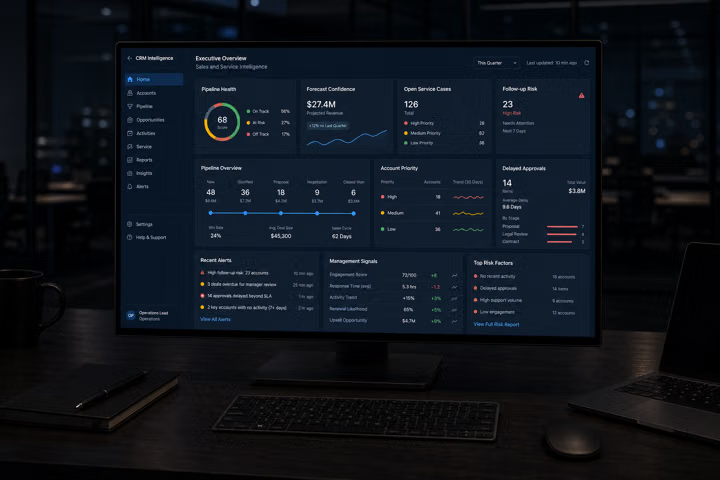
Sales and service intelligence
A governed CRM makes customer work visible across revenue and service operations. Pipeline stages, account priority, open requests, quote status, owner responsibility, delayed follow-up and escalation signals can be reviewed together, so leadership can see where value is moving, waiting, blocked or at risk.
Commission this when teams work from separate inboxes, spreadsheets and tools, but management still needs one reliable view of account momentum, service quality and customer risk.
Governed AI assistance
AI can summarize customer history, classify requests, draft handover notes, highlight overdue risks or prepare management summaries only when the data foundation is clear. The system defines which records AI may read, which recommendations require review, which users can see sensitive output and where audit notes should remain attached.
Commission this when the business wants CRM AI, but still needs human approval, permission-aware context, traceable outputs and a practical boundary between assistance and automated decisions.CRM and AI decision signals
The evidence points to the same operating issue: customers and staff expect connected context, but fragmented tools, weak integration and interruption-heavy workdays make AI assistance unreliable unless the CRM foundation is governed first.
Source context: Salesforce CRM overview, Zendesk CX Trends, Microsoft Work Trend Index 2025, McKinsey personalization research and NIST AI RMF. These are planning signals, not guaranteed outcomes.
Decision matrix
| Decision factor | Spreadsheet CRM | Generic CRM rollout | Blackstone Enterprise CRM & AI system |
|---|---|---|---|
| Customer record | Stores customer rows, but relationship context, service notes, permissions and documents drift elsewhere. | Can centralize records, but often starts with platform configuration before the real operating model is understood. | Defines governed account, contact, lifecycle, service and document logic around how the business actually works. |
| Follow-up | Follow-up depends on manual review, personal discipline and the newest version of the sheet. | Can automate tasks, but weak stage definitions and unclear ownership create noisy reminders. | Makes stage, owner, next action, service risk and management review visible from the same customer record. |
| History | Important history remains in inboxes, chat, old exports or individual memory. | Stores activity, but teams still need governance on what should count as trusted customer history. | Connects notes, documents, quotes, service events, owner changes and handovers into a reviewable customer memory. |
| Management view | Managers see fragments and usually need manual updates before the pipeline or service picture is believable. | Dashboards exist, but they are only useful if the record model and usage discipline are trusted. | Builds leadership signals around pipeline health, service load, delayed action, forecast quality and exception states. |
| AI readiness | Spreadsheets are not a safe base for permission-aware AI assistance or traceable recommendations. | AI features can be available before the business has clean roles, data quality and review rules. | Adds AI only after records, permissions, review moments and audit expectations are clear enough to control. |
| Expansion | Hard to connect safely to portals, dashboards, automations or customer-facing workflows without cleanup. | Integrations can multiply complexity if each team still defines customer truth differently. | Creates the operating boundary for portals, dashboards, backend systems, automations and reviewed AI support. |
| Blackstone recommendation | Use this only while the customer process is small, low risk and easy to reconstruct manually. | Choose this when internal ownership can manage configuration, adoption, data quality and change control. | Commission Blackstone Digital when the business needs a governed CRM operating layer before automation and AI scale. |
Enterprise CRM maturity scale
Accounts, contacts, service context, documents, statuses and owners need a clear model before dashboards or AI are trusted.
Permissions, lifecycle stages, required fields, handovers and review points define who can act and what must be recorded.
Sales, service and management views show open work, risk, follow-up, forecast movement and exception states.
AI can summarize, classify, prioritize and draft only when data access, output review and audit expectations are stable.
AI and CRM strategy
Blackstone Digital treats AI as the second layer, not the shortcut. The first layer is trusted CRM structure: records, roles, statuses, data quality, permissions, review points and management visibility. Once that exists, AI can support staff with summaries, prioritization, forecasting signals and controlled automation without taking ownership away from the business.
AI support should read from governed customer records, not scattered exports. Blackstone Digital defines the fields, lifecycle states, document context and data-quality expectations that make CRM intelligence usable.
Sales conversations, service events, account notes, quote decisions, documents and handovers become one customer memory so staff and AI assistance do not restart from disconnected fragments.
Reviewed AI can summarize histories, draft handover notes, classify requests, prepare next-step suggestions and surface overdue risk while staff remain accountable for the decision.
The CRM can expose pipeline quality, stalled follow-up, service load, conversion risk and account exceptions so leadership sees where attention is needed before the month-end report.
Sensitive fields, role access, AI visibility, review status and audit notes are defined before automation expands, reducing the chance that AI output becomes unmanaged operational truth.
A governed CRM layer can later connect portals, dashboards, backend systems, workflow automations and AI agents because the customer operating model is already explicit.
Roadmap discipline
Mobile CRM and multi-team operations
Enterprise CRM becomes more valuable when the right people can act wherever the customer work happens. Blackstone Digital designs the mobile layer as a controlled operating surface: fast enough for field notes, follow-up and approvals, but still governed by roles, permissions, audit expectations and the same customer record used on desktop.
Account status, relationship history, open service work, quotes, next actions and recent decisions are available before the call, visit or handover starts.
Sales, service, operations and management can work from the same mobile customer timeline without each team rebuilding context in a separate chat thread.
Executives, account owners, service staff and admins can see different screens, fields and actions, so mobility does not mean exposing every customer detail to every user.
Due tasks, handover notes, review prompts, quote approvals and escalation signals can move with the team instead of waiting for a desktop session.
Calls, meeting notes, visit outcomes, document references and customer commitments can be captured close to the moment of work, then synced into the governed CRM record.
Managers can review blocked accounts, overdue follow-up, open service risk and team workload from a mobile operating view without requesting another manual update.

Sales, service and management synced
Research basis: Salesforce frames CRM around a shared customer source of truth and mobile access; Microsoft mobile CRM patterns support records and work away from desk-based systems; HubSpot and similar CRM mobile apps emphasize contacts, deals, tasks and follow-up; NIST AI RMF reinforces governed, trustworthy AI boundaries.
Enterprise CRM & AI FAQ
Enterprise CRM becomes the better path when customer work spans several teams, roles, locations, lifecycle stages, documents, service records or management reports. Blackstone Digital focuses the system on governed customer memory, ownership and operating visibility before expanding into automation or AI.
AI is only useful when it can rely on clean records, clear permissions, stable statuses and reviewable evidence. Without that foundation, AI summaries and recommendations can amplify messy data, expose the wrong context or create decisions the business cannot audit.
Usually yes, but the import should be treated as data cleanup and operating design, not just a file transfer. Duplicate records, inconsistent stages, missing owners, old notes, unclear service history and sensitive fields are reviewed before they become part of the trusted CRM layer.
Yes. The CRM can separate sales, service, management and admin views, define which users can see sensitive fields, control who can change status or ownership and keep audit notes around important changes. AI visibility should follow the same access boundaries.
Yes, when the record model is designed around the full customer lifecycle. Sales can track opportunities, owners, quotes and follow-up, while service teams can see history, documents, open requests, escalation notes and commitments without creating a second disconnected customer truth.
Reviewed AI can summarize customer history, classify requests, draft handover notes, identify overdue follow-up, prepare management summaries and suggest next actions. Blackstone Digital keeps these as staff assistance first, with human review and permission-aware context before any deeper automation.
Yes. The CRM foundation can become the customer operating layer behind forms, portals, dashboards, workflow automations and backend systems. The important part is defining the customer record, permissions, status model and ownership logic before integrations multiply complexity.
Digital Systems Review
A review phase can sort the existing website, documents, forms, spreadsheets, customer questions and workflows, then turn them into the first useful build.