Structured request intake
Customers can send the right details, files and urgency signals once, so the first review starts with cleaner context.
Systems / Service 02
A portal gives customers one clear place to send information, follow progress, upload documents and understand what happens next.
Overview
The best portals are not overloaded private websites. They focus on the few actions customers repeat most often and turn those actions into structured work for the business behind the scenes.
Customer portal system preview
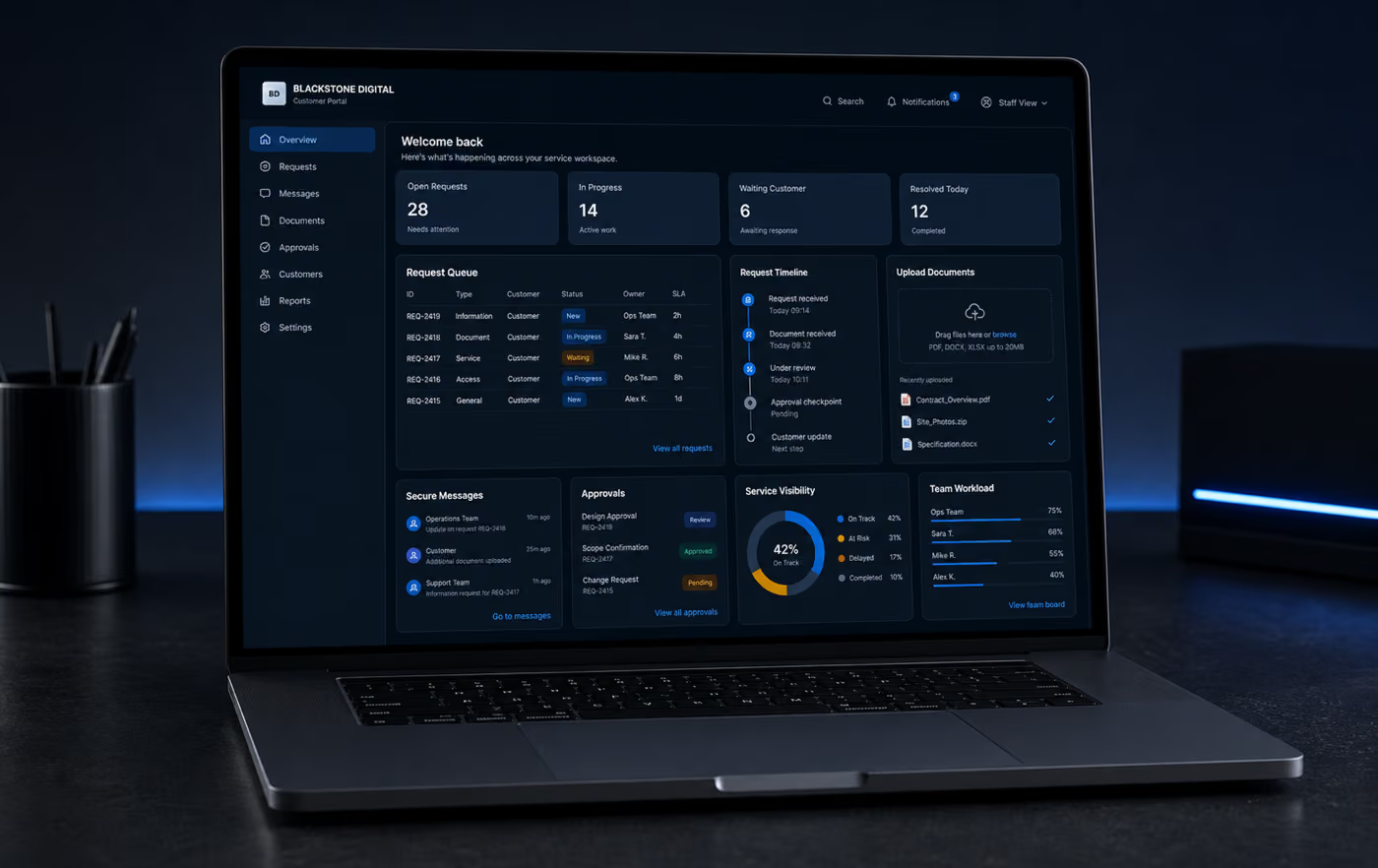
Customer portals and online service experiences
A portal should not be a private website full of generic pages. It should give customers one controlled service place for repeat requests, documents, approvals, messages and status while the team behind the scenes receives reviewable work.
Customers can send the right details, files and urgency signals once, so the first review starts with cleaner context.
Open, received, waiting, approved and completed states make the service relationship easier to understand without another email thread.
Uploads, missing files, review notes and downloads can live in one controlled place instead of scattered attachments.
Account-aware areas can separate private customer material, staff views and review responsibilities before the portal expands.
Every customer action should confirm what was received, what is waiting and which service step comes next.
Requests can become owned service records with source context, status, route and response responsibility.
Managers can see waiting requests, delayed responses, missing documents and completed work without rebuilding the story manually.
Blackstone Digital designs the first portal around one valuable workflow, then leaves room for accounts, dashboards, CRM and automation.
Portal system promise
The goal is not to add another login screen. It is to reduce repeated questions, protect private material, make progress visible and turn customer activity into owned service work.
Customer portal decision case
Customer portals are strongest when the same service relationship creates repeated requests, documents, messages, approvals or status questions. Blackstone Digital turns that relationship into a focused online service experience so customers know what is open and staff know who owns the next step.
The value is operational clarity, not another account area. A strong first portal reduces repeated context, protects private material, gives customers visible progress and gives the business a cleaner service record to review.
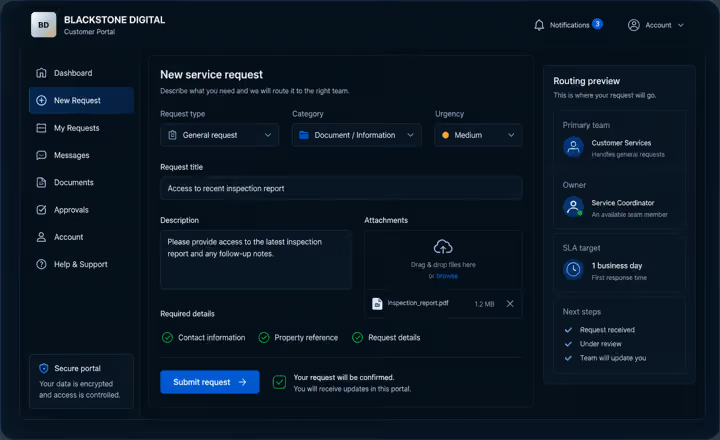
Request intake surface
Blackstone Digital structures the first portal surface around the information a team actually needs: request type, context, urgency, files, customer identity and the expected next step.
Commission this when email, phone calls or shared forms still create missing details, duplicate explanations and slow first review.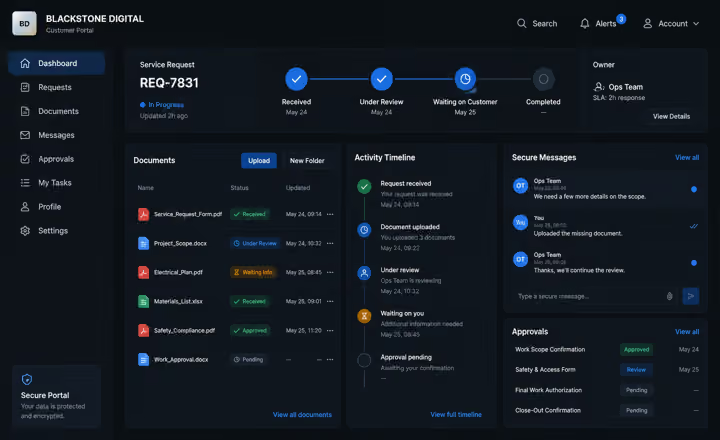
Document and status surface
Customers can see what was received, what is waiting, which document needs review and what the service team has confirmed, while staff retain a cleaner record behind the scenes.
Commission this when customers repeatedly ask for status or staff lose time reconstructing attachments, approvals and message history.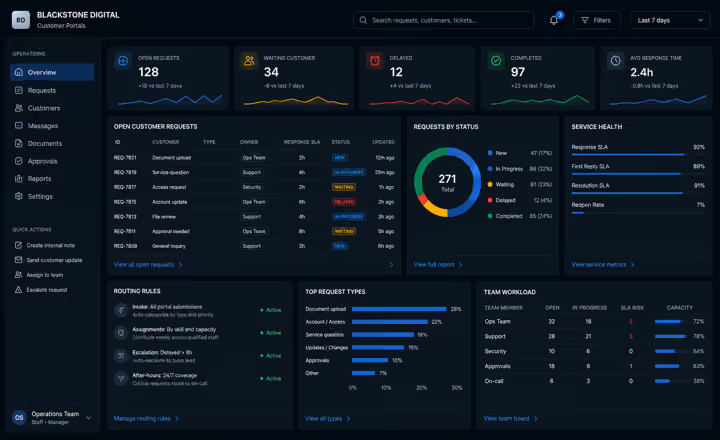
Operations visibility surface
The portal should feed the operating layer: owners, statuses, delayed items, missing documents, response responsibility and review signals that management can actually use.
Commission this when the customer experience looks organized, but the staff-side process still depends on manual triage and disconnected notes.External decision signals
The signals point to one operating problem: customers expect fast, clear, connected service, while private data and AI-assisted workflows need controls before expansion.
Source context: Zendesk CX Trends 2026 customer service signals, IBM Cost of a Data Breach Report 2025 governance risk context and NIST SP 800-63B-4 authentication guidance. These are planning signals, not guaranteed outcomes.
Decision matrix
| Decision factor | Shared form or inbox | Generic account area | Blackstone customer portal |
|---|---|---|---|
| Customer job | Captures a message or file, but the customer cannot easily see status, ownership or next steps. | Provides login access, but may not match the real service workflow customers repeat. | Turns requests, files, status, approvals and messages into one service experience customers can return to. |
| Staff ownership | The team still triages manually, copies context and recreates the service story from scattered messages. | Some records exist, but ownership and review responsibility may remain outside the portal. | Each request can carry source context, owner, status, next step and review signals for the team. |
| Document control | Attachments move across email threads, shared folders and local downloads with weak visibility. | Files may be available, but missing-item logic, review states and confirmations are often unclear. | Uploads, missing documents, approved files, downloads and retention expectations can be designed into the workflow. |
| Customer confidence | Customers keep asking what was received, what is waiting and when someone will respond. | The account exists, but the customer may still need to contact staff for progress clarity. | The customer can see what is open, received, waiting, approved or completed without guessing. |
| Access and controls | Private data may be sent through channels that were not designed for the service relationship. | Authentication exists, but roles, review points and data boundaries may be underdefined. | Account access, staff roles, approvals, logging and sensitive workflow boundaries are planned before scale. |
| Measurement | The business sees scattered messages, but not the service load, delays or repeated friction patterns. | The account area may count activity without exposing the operational bottleneck. | Leadership can review waiting requests, delayed handoffs, missing files, response ownership and completion quality. |
| Blackstone recommendation | Use this only when the process is low-risk and a simple message capture is enough. | Use this when customers only need basic access and the staff workflow is already controlled. | Commission the portal when repeated customer service work needs clarity, privacy, ownership and visible progress. |
Portal maturity scale
One repeated customer request is structured first so the portal solves a visible service problem.
Customers can see received files, waiting items, approvals, messages and the next service step.
Every portal action has an owner, state, route, review responsibility and internal handoff path.
The portal can expand into accounts, CRM, dashboards, automation or AI-assisted review only where controls are clear.
Digital Systems Review
A review phase can sort the existing website, documents, forms, spreadsheets, customer questions and workflows, then turn them into the first useful build.